Choose your color.
Give it a voice.
A blue piano. A golden cello. Pick your own colors and instruments, then follow a scale that keeps your notes in harmony.
A CANVAS YOU CAN HEAR
Follow a line. Find a melody. Make a picture that plays back the way you imagined it.
Try it in your browser. iPhone & iPad app in development.
One piece of music. Three ways to see it. Tap Listen to turn sound on.
MAKE ROOM FOR PLAY
Begin with a brushstroke. Let the musical details unfold when you’re ready.
A blue piano. A golden cello. Pick your own colors and instruments, then follow a scale that keeps your notes in harmony.
Tap for a little note. Hold for a longer one. Move to find another pitch, or fill a shape to hear several notes together.
Add a rest, layer a second part, and give individual notes their own sustain and reverb. Replay, pause, and explore your composition.
FROM A SKETCH TO A COMPOSITION
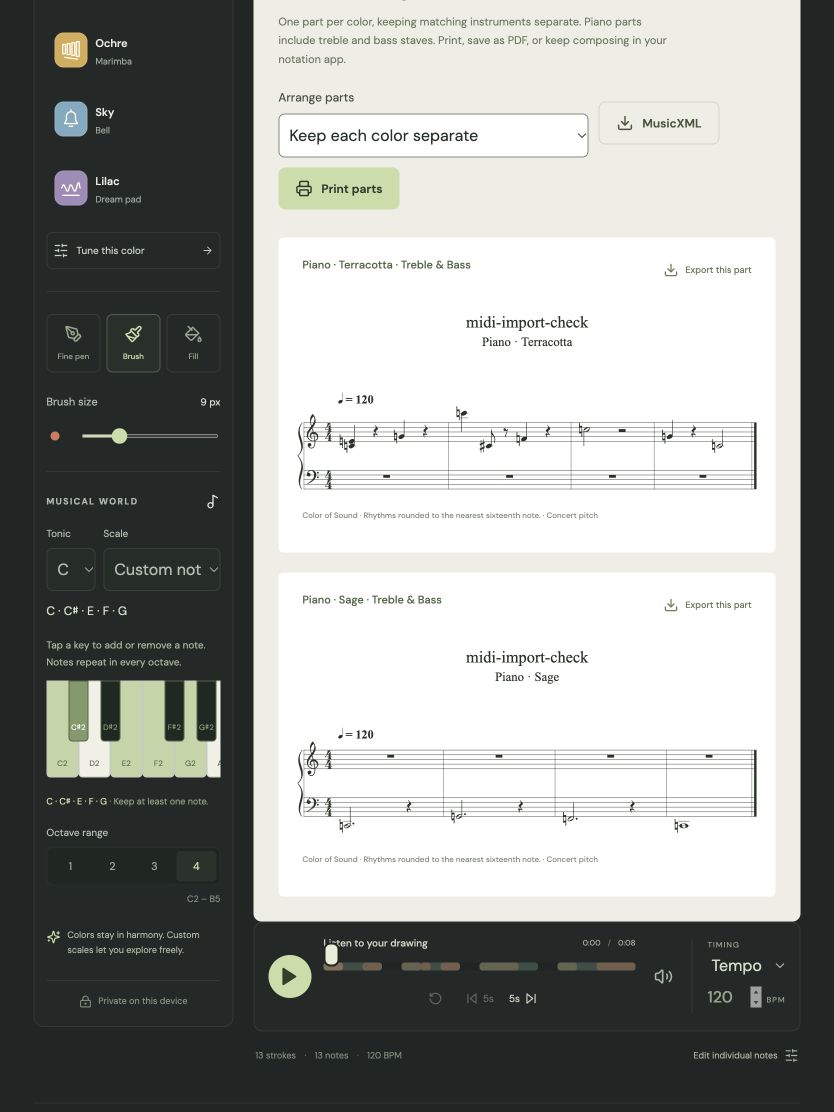
Keep the picture. Print the music. Take each color into your own recording setup. Your creation can keep growing beyond the canvas.
A LITTLE SPACE OF YOUR OWN
The current studio saves on your device and works without an account. Export a backup, share a file when you choose, and make as many variations of your drawing as you like.
Optional private cloud backups are available to invited beta users in supported versions. A reviewed, all-ages community is being developed; public sharing isn’t available yet.
LET’S SEE WHAT YOU SOUND LIKE
No account needed for the current studio.